STREAM TOOLS
CONTROLLER OVERLAYS
Your inputs. Crew colours. Ready for your stream.
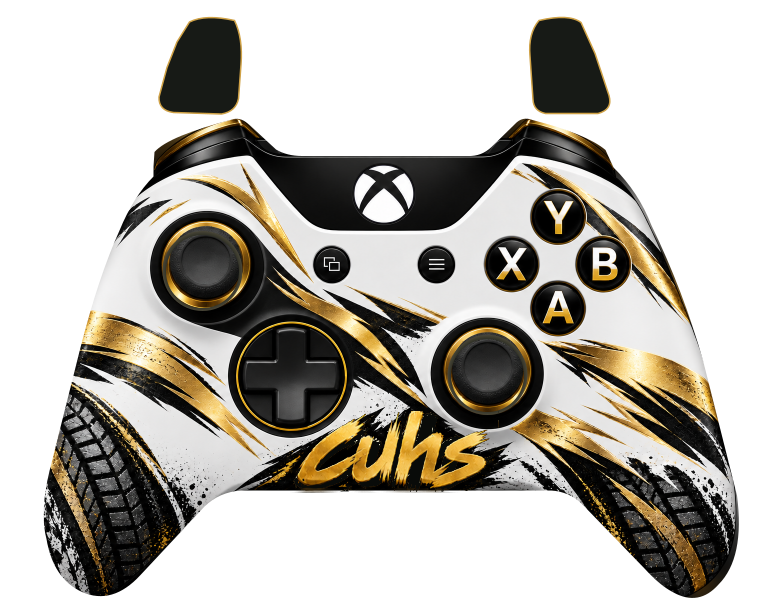
CREW EDITION
XBOX OVERLAY
White, gold and black. Transparent background. Live buttons, sticks and bottom-up trigger fills.
Live inputs run here inside Cuh Racing.
Download CSS file ↓YOUR DESIGNS
Upload an overlay ZIP
Include the Gamepad Viewer CSS and its images or fonts together. Up to 10 MB zipped.
Sign in with Discord ↗Uploaded design files are available through their public overlay links so OBS can load them.01 / CONNECT
Make your inputs live
Connect an Xbox or PS5 controller to your PC. Click the controller preview above, then press a controller button. Your inputs appear here.
02 / ADD TO OBS
Put it on your stream
Add a Browser Source and paste the OBS browser link. Leave Local file unticked. Use the source size shown above, then place it above your game capture.
03 / CHECK
Ready for the crew
If inputs stay still, right-click the OBS source, choose Interact, click the page and press a controller button. Each crew member uses their own controller.